Optimizing Direct3D 11: The Criticality of Buffer Strategy
For C#/.NET graphics developers, mastering Direct3D 11's resource management—from buffer types and input layouts to efficient update strategies—is key to unlocking peak application performance.
AI-generated image
Even with newer APIs available, Direct3D 11 remains a powerful and relevant API for many graphics applications, especially within the C# and.NET ecosystem. But are we truly leveraging its resource management capabilities to their fullest, or are common misunderstandings holding back performance?
Direct3D 11 structures how we interact with GPU memory through a system of buffers and layouts, fundamental components that dictate everything from geometry definition to shader constants. The API provides distinct mechanisms for preparing and updating this data, and understanding these nuances is critical for achieving optimal frame rates and responsiveness in your projects.
Mastering Buffer Types: The Foundation of GPU Data
At the heart of Direct3D 11's resource system are buffers, each serving a distinct purpose. The ID3D11Buffer interface encapsulates all buffer types. Vertex buffers hold the defining data for your geometry, including position coordinates, color, texture coordinates, and normal vectors. This data is typically organized as a sequence of per-vertex elements, allowing for rich 3D descriptions. For instance, a single vertex might be defined by three 32-bit floats for position, three for normal, and two for texture coordinates, as detailed in the Microsoft documentation on buffers.
Complementing vertex buffers are index buffers, which store integer offsets into vertex buffers. By referencing vertices by index, you can reuse common vertices across multiple primitives, significantly reducing memory footprint and improving rendering efficiency, especially for complex meshes. Index buffers can use either 16-bit or 32-bit indices.
Constant buffers, on the other hand, are designed to efficiently supply shader constant data to the pipeline. These buffers hold variables that remain constant throughout a shader's execution for a given draw call, but which may change between draw calls or frames. Examples include world-view-projection matrices, time values for animations, or lighting parameters, as shown in this Microsoft guide on constant buffers. Each shader stage can utilize up to 15 constant buffers, with each capable of holding up to 4096 constants. While HLSL handles padding implicitly, it's crucial to ensure your CPU-side structures match the HLSL layout and that the allocated buffer size adheres to the 256-byte alignment constraint for constant buffers to prevent unexpected issues, a detail highlighted in documentation about constant buffer alignment.
Precision is Paramount: Input Layouts and Primitive Topology
Simply providing vertex data isn't enough; Direct3D 11 needs to understand how that data is structured. This is where input layouts come into play. An input layout, defined by the ID3D11InputLayout interface, tells the graphics pipeline how your vertex buffer's data is ordered and what each element represents (e.g., which floats are positions, which are colors), as explained in documentation on input layouts. Without a correctly defined input layout bound to the input-assembler stage using ID3D11DeviceContext::IASetInputLayout, your vertex data will be meaningless to the GPU.
Once the vertex data's structure is defined, primitive topology dictates how these vertices are assembled into basic geometric shapes for rendering. Whether you're drawing individual points, lines, or triangles, the D3D_PRIMITIVE_TOPOLOGY enumeration specifies how the input assembler should interpret the stream of vertices, as outlined in Microsoft's documentation on Primitive Topologies. Setting this via ID3D11DeviceContext::IASetPrimitiveTopology allows you to dynamically change how geometry is rendered, enabling everything from simple triangle lists (D3D11_PRIMITIVE_TOPOLOGY_TRIANGLELIST) for solid objects to line strips for outlines or debugging information.
Performance Crossroads: Navigating Dynamic vs. Default Update Strategies
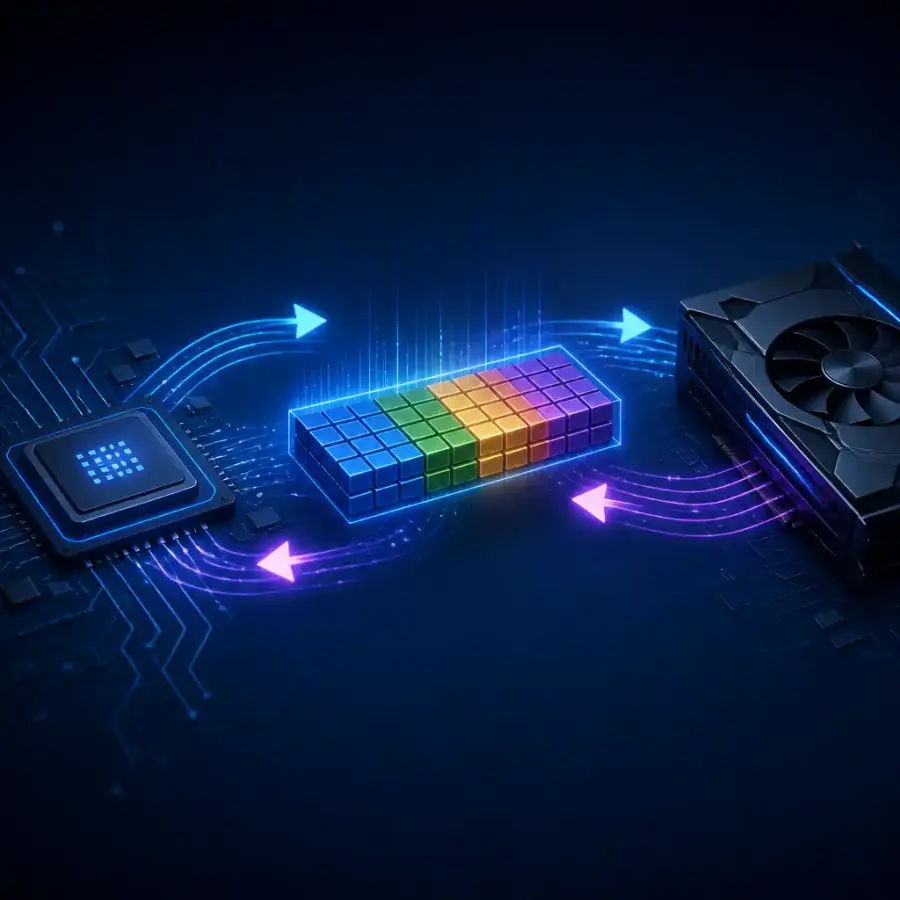
The fundamental choice for resource updates in Direct3D 11 revolves around resource usage. For data that is mostly static or updated infrequently, creating a buffer with D3D11_USAGE_DEFAULT is the most appropriate. These resources are optimized for fast GPU read access. When such a buffer needs an update from the CPU, the ID3D11DeviceContext::UpdateSubresource method is used. This method performs a CPU-to-GPU memory copy (), which can be efficient for infrequent updates but may introduce significant overhead if done every frame, especially with large datasets.
However, for data that changes frequently—such as particle systems or procedurally generated meshes that update every frame—dynamic resources (D3D11_USAGE_DYNAMIC) are the way to go. These buffers must be created with the D3D11_CPU_ACCESS_WRITE flag. To update a dynamic buffer, you use ID3D11DeviceContext::Map to gain CPU-addressable access to the GPU memory, write your new data, and then call ID3D11DeviceContext::Unmap. For optimal performance when updating an entire buffer, D3D11_MAP_WRITE_DISCARD is highly recommended with Map. This flag allows the GPU driver to allocate a new memory region, effectively avoiding CPU-GPU synchronization stalls, which can be a significant bottleneck in performance-critical applications, as detailed in a GitHub discussion on dynamic vertex buffers. If you're appending data, D3D11_MAP_WRITE_NO_OVERWRITE can be used, but extreme care must be taken to avoid read-after-write hazards.
For.NET developers, the decision between Map/Unmap and UpdateSubresource is a critical one. While UpdateSubresource is simpler for static data, relying on it for high-frequency updates will likely lead to performance degradation. Embracing dynamic buffers with Map and D3D11_MAP_WRITE_DISCARD for frequently changing data is generally the superior approach for maintaining a fluid rendering pipeline, though it requires more careful management of the buffer's contents.
In our view, understanding these core principles of Direct3D 11 resource management is not just about writing correct code, but about writing efficient code. By thoughtfully choosing buffer types, defining layouts precisely, and selecting the optimal update strategy,.NET graphics developers can unlock significant performance gains, ensuring their applications run smoothly and leverage the GPU's capabilities to the fullest.
Keep reading
No topics yet: start the first one.
More stories
Vulkan's Cross-Platform Edge Over Direct3D 12 for .NET Developers
For C# developers, the choice between Direct3D 12 and Vulkan is less about raw API power and more about strategic platform alignment, tooling, and the robustness of community-driven .NET bindings.

Beyond the Basics: Why Core 3D Math Still Shapes Modern Graphics
For C# and .NET developers, understanding the fundamental matrices and algorithms behind 3D rendering—from camera perspective to object interaction—remains crucial for crafting high-performance, immersive experiences.

C# Game Engines: Unity, Godot, Stride, or MonoGame? Your Choice Matters More Than Ever
The C# game development landscape is richer than ever, offering powerful options beyond the industry incumbent. Choosing the right engine today means aligning project scope, team size, and commercial intent with the perfect technological fit.

Direct3D 11 and C#: Beyond the Fundamentals with Vortice
For C# developers, building a foundational Direct3D 11 application is more accessible than ever, offering critical low-level graphics understanding via modern .NET bindings.